

Create & get message templates approved
Templates are the pre-approved messages you can send outside the 24-hour window (OTP, orders, reminders).
WhatsApp only lets you message someone outside a 24-hour reply window using a template Meta has approved. DMGO ships a library of 30 ready templates, or you can write your own.
Before you start
- A connected number WITH its WABA ID set (templates need it).
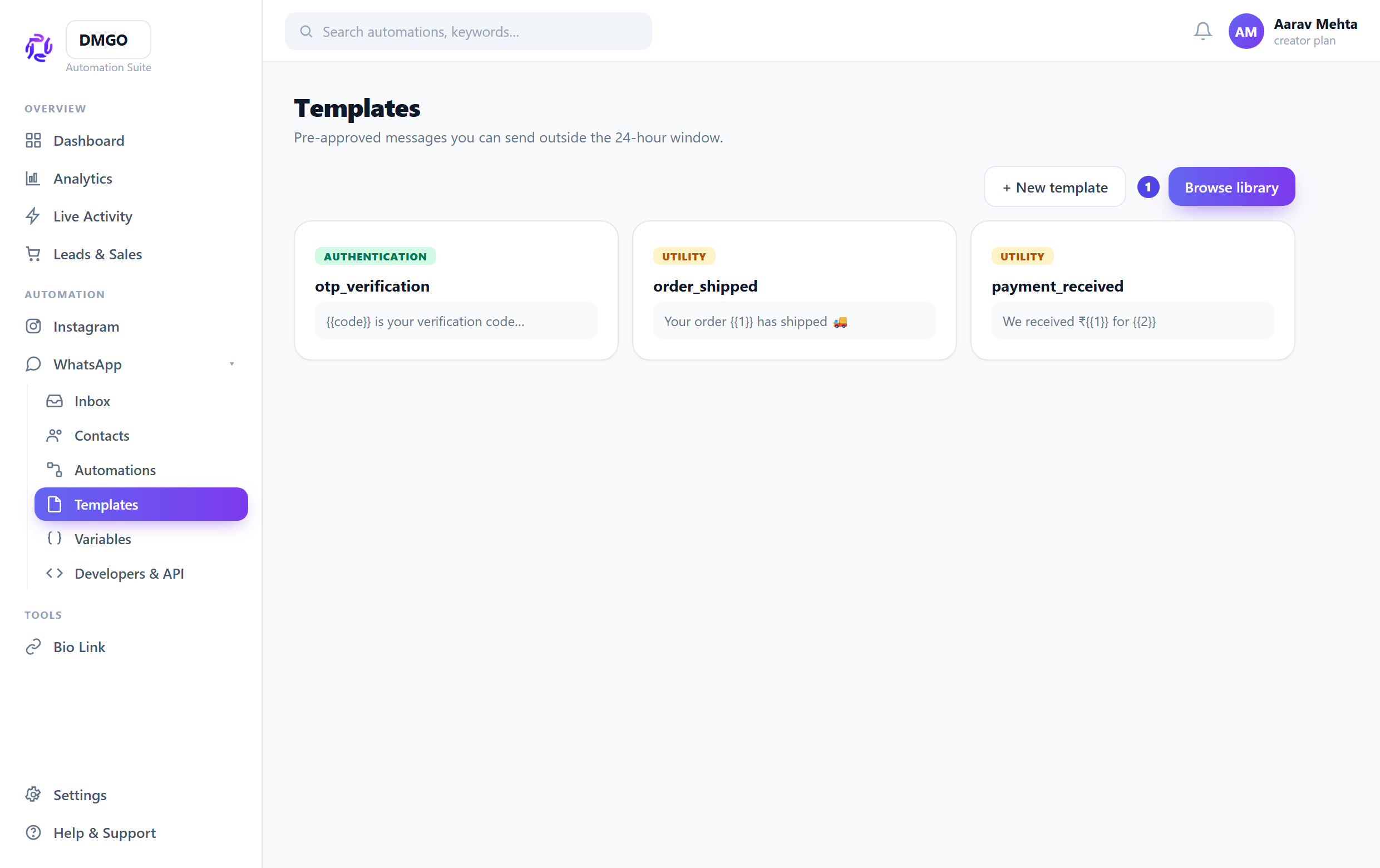
Browse the library or build one
WhatsApp → Templates → “Browse library”. Filter by use-case (OTP, orders, payments, bookings, support…), preview, edit the name, and submit. Or build from scratch with the template builder.
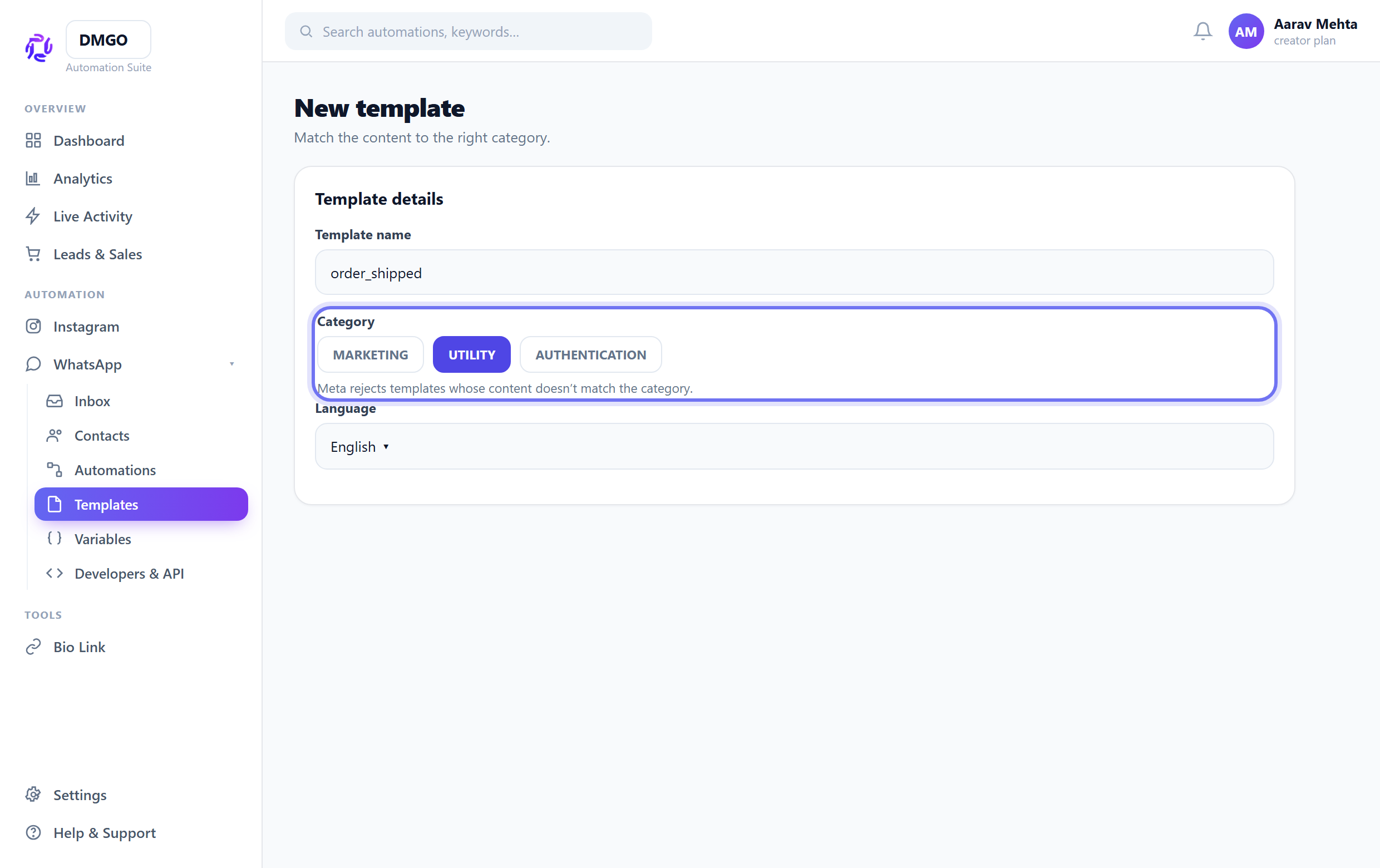
Pick the right category
AUTHENTICATION for OTP codes, UTILITY for order/payment/reminder updates, MARKETING for promotions. Meta rejects templates whose content doesn’t match the category.
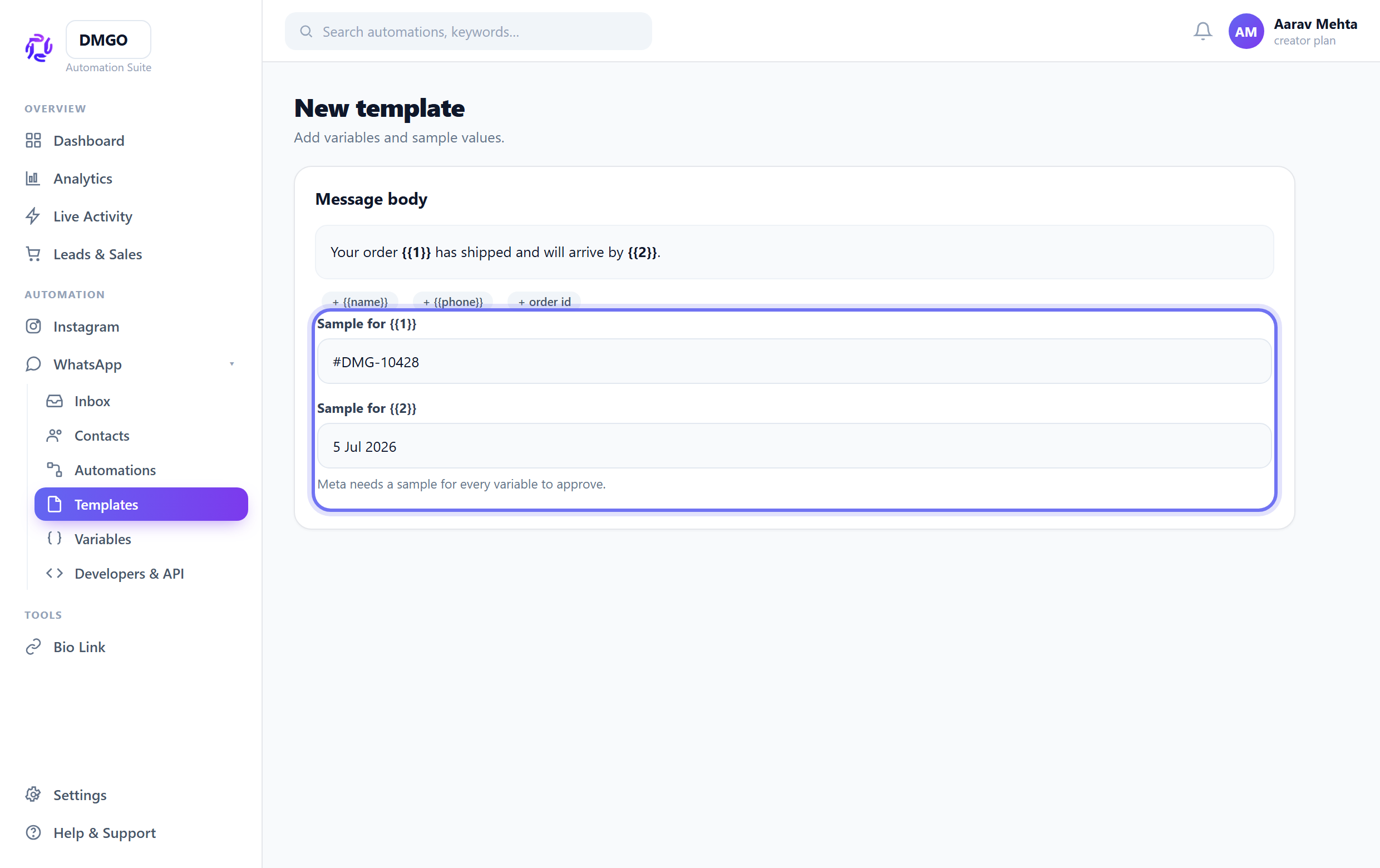
Add variables + sample values
Use numbered placeholders like {{1}}, {{2}} for dynamic parts, and provide a sample for each — Meta needs samples to approve. (These are different from flow merge fields like {{name}}.)
Authentication (OTP) templates must use the copy-code button and have no free body text — the library ones are already built this way.
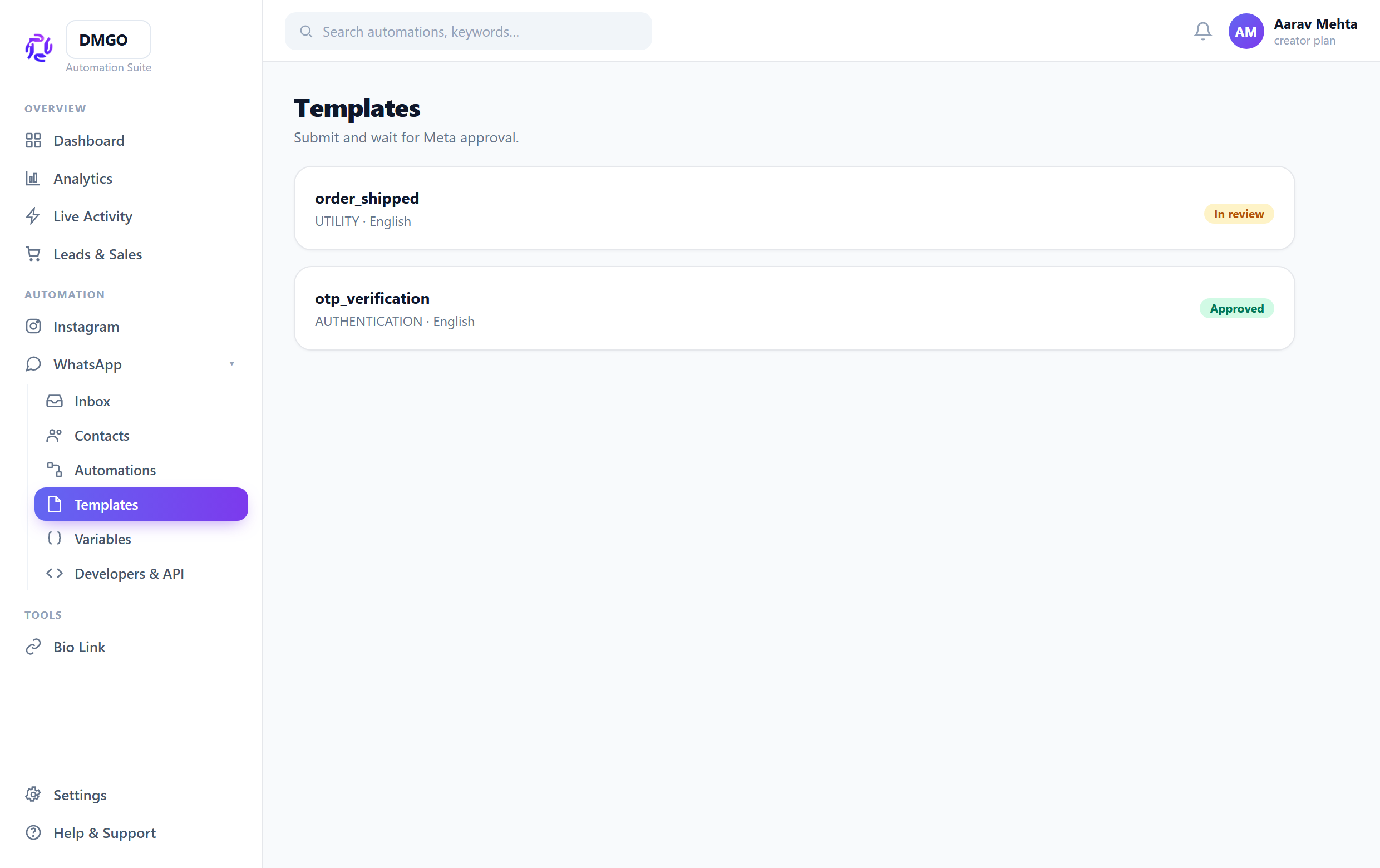
Submit and wait for approval
Submit to Meta. Approval usually takes minutes to a few hours. Once “Approved”, the template becomes selectable in a Send Template node or a broadcast.
Related guides
Was this guide helpful?
Did this not solve it?
Raise a ticket — no account needed. Continue securely from your ticket link.