

Connect your WhatsApp Business number
Link a WhatsApp Business number so you can send automations, templates and API messages.
WhatsApp runs on Meta’s Cloud API. Connect once with guided Meta authorization, then use Setup & health in DMGO to finish messaging, products, and read-only Ads reporting.
Before you start
- A Meta (Facebook) Business account.
- A phone number NOT currently active on the normal WhatsApp / WhatsApp Business app.
Open WhatsApp → Connect
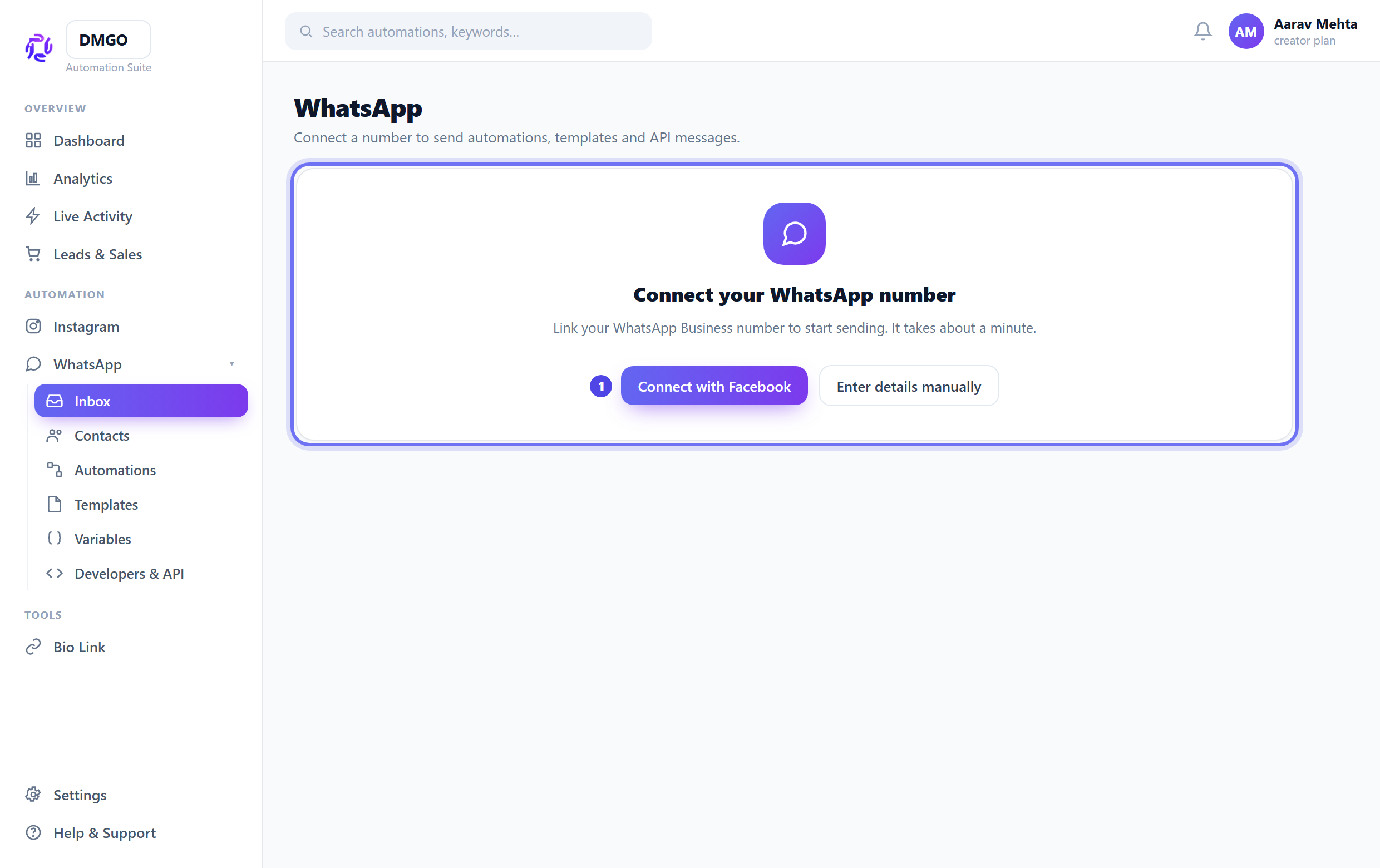
In the sidebar go to WhatsApp. If no number is linked you’ll see the Connect screen. Choose “Connect with Facebook” for the guided setup.
Pick / register the number
Select an existing WhatsApp Business Account (WABA) or create one, then register the phone number and verify the code Meta sends.
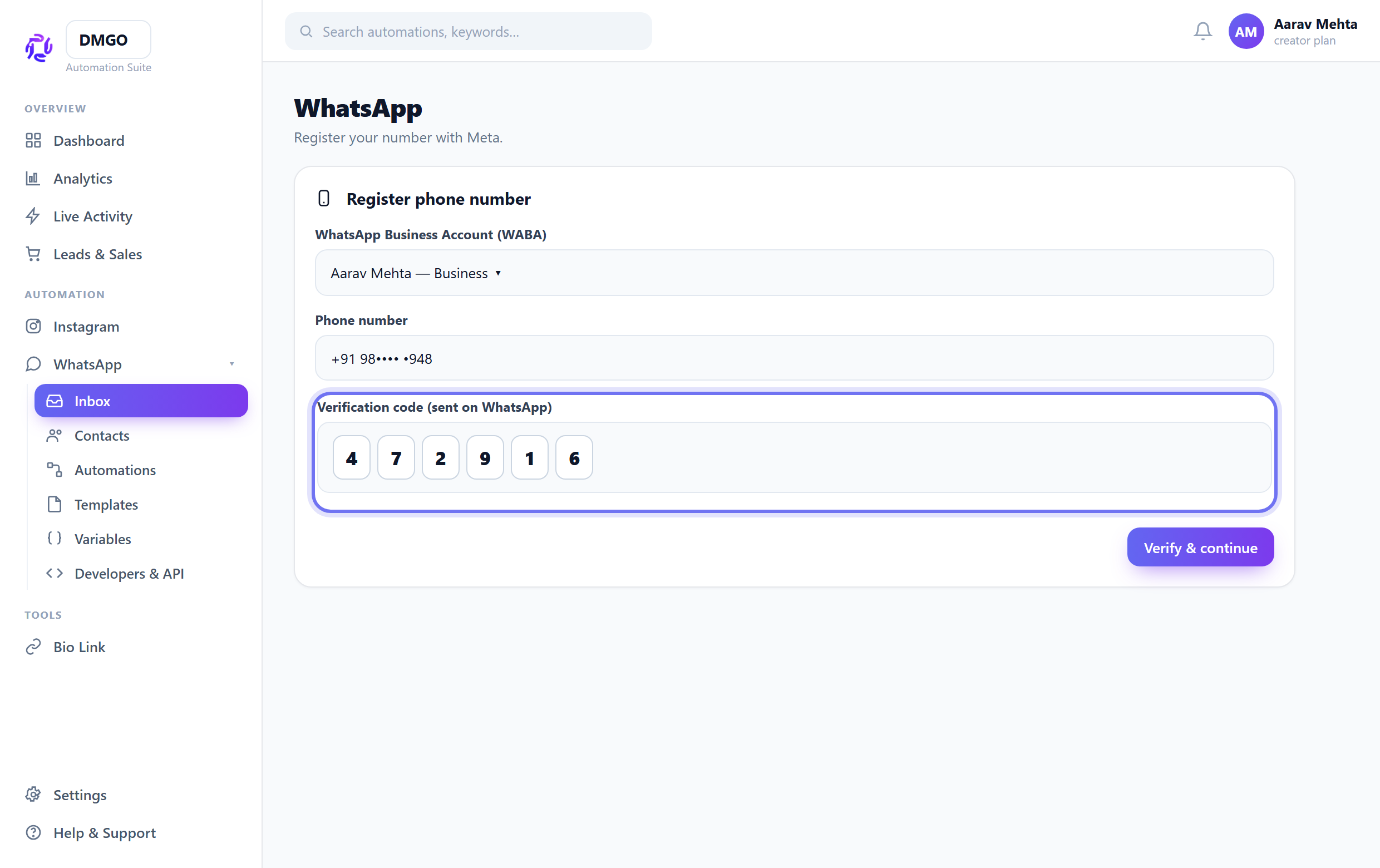
Once a number is on the Cloud API it can’t also be used in the normal WhatsApp app — use a fresh/dedicated number.
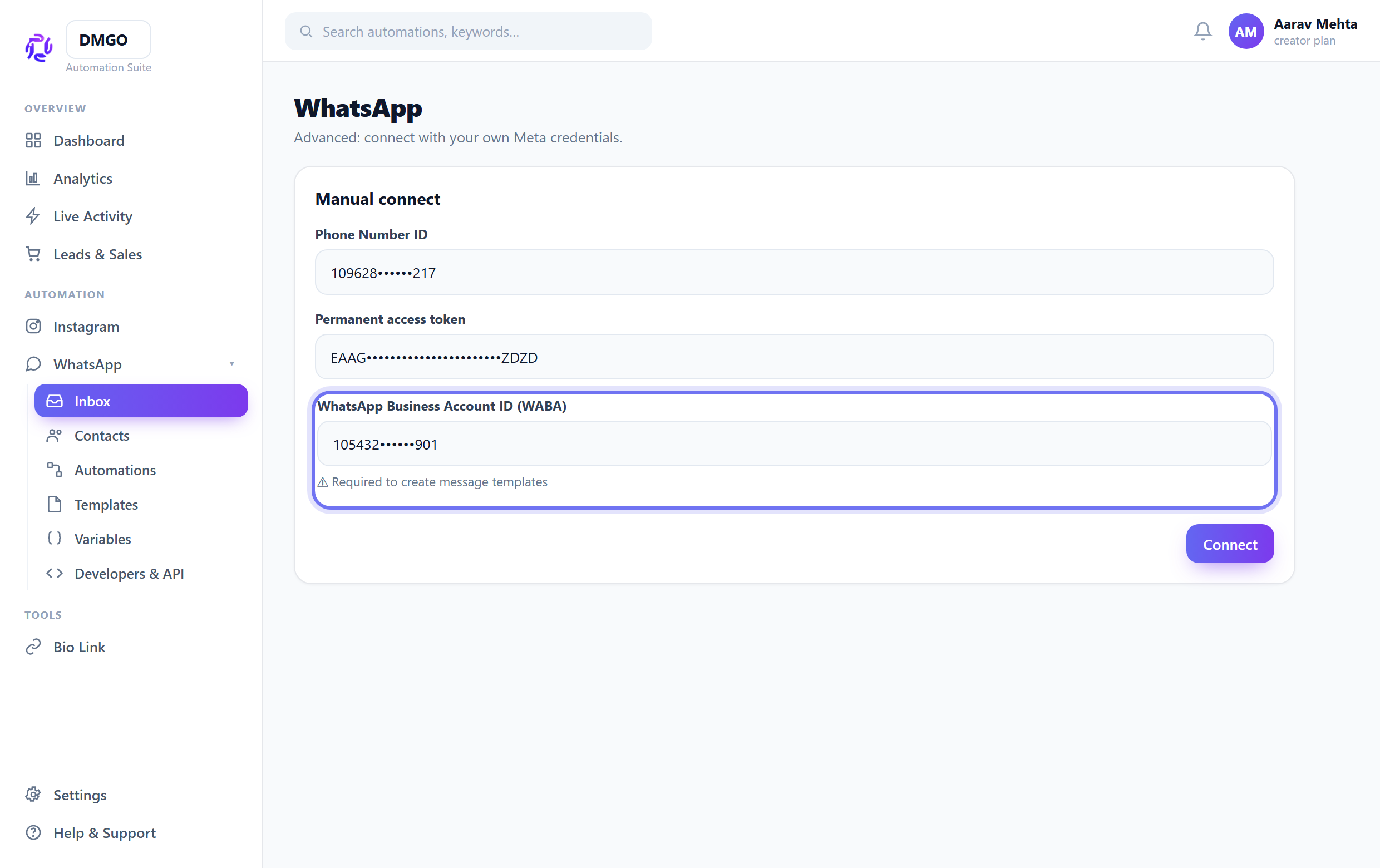
Manual connect (advanced)
Manual connect is only for testing or troubleshooting when guided Meta authorization is unavailable. Normal customers should use the guided connection and stay inside DMGO.
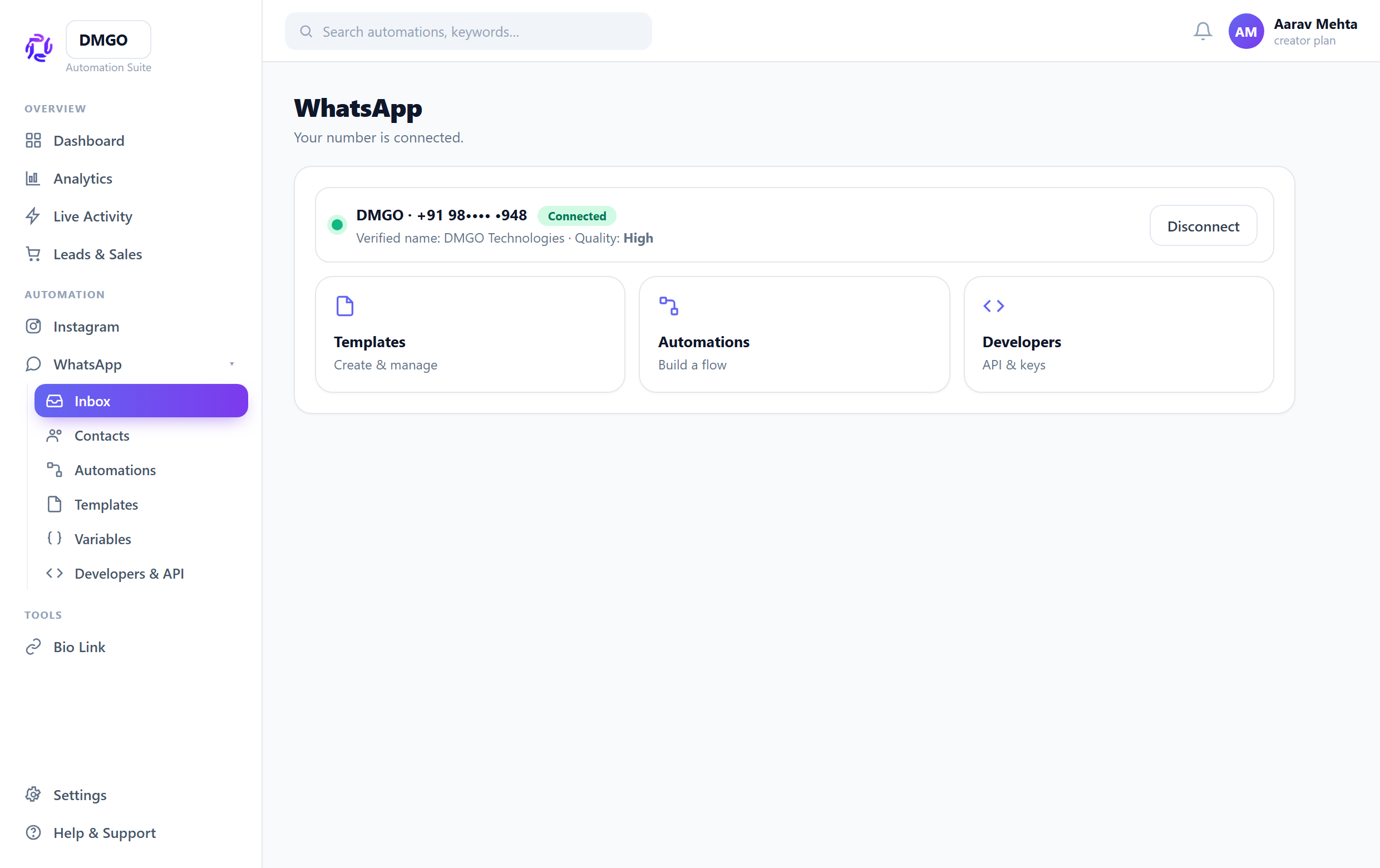
Confirm it says Connected
After connecting, the account card should show your display number and “Connected”. Now open Templates and Automations to build.
Related guides
Was this guide helpful?
Did this not solve it?
Raise a ticket — no account needed. Continue securely from your ticket link.