

Send OTP & transactional messages via API
Trigger a WhatsApp automation from your own app or server with a single POST request.
The Developers & API tab turns any API-triggered automation into an endpoint your backend can call — perfect for OTPs, order confirmations and other transactional messages. This is a paid-plan feature.
Before you start
- A Growth or Pro plan (the API trigger is gated).
- An automation whose trigger is “API / Webhook”, using a Send Template node.
Generate your API key
WhatsApp → Developers & API → Generate key. The full key is shown only once — copy it and store it in your server’s secrets. It’s stored hashed, so it can’t be shown again.
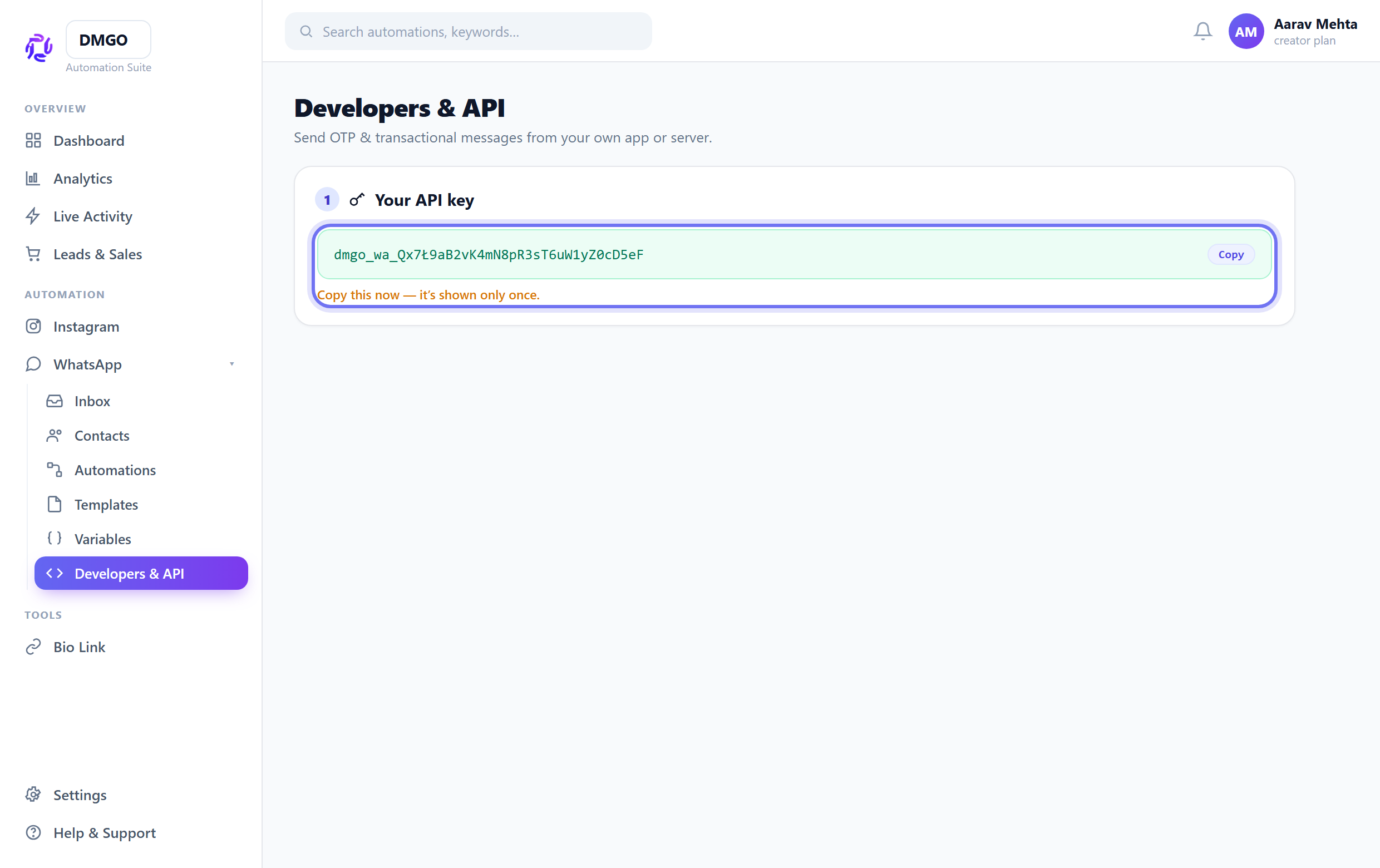
Lost the key? Rotate it — the old one stops working instantly and you get a fresh one.
Copy the endpoint
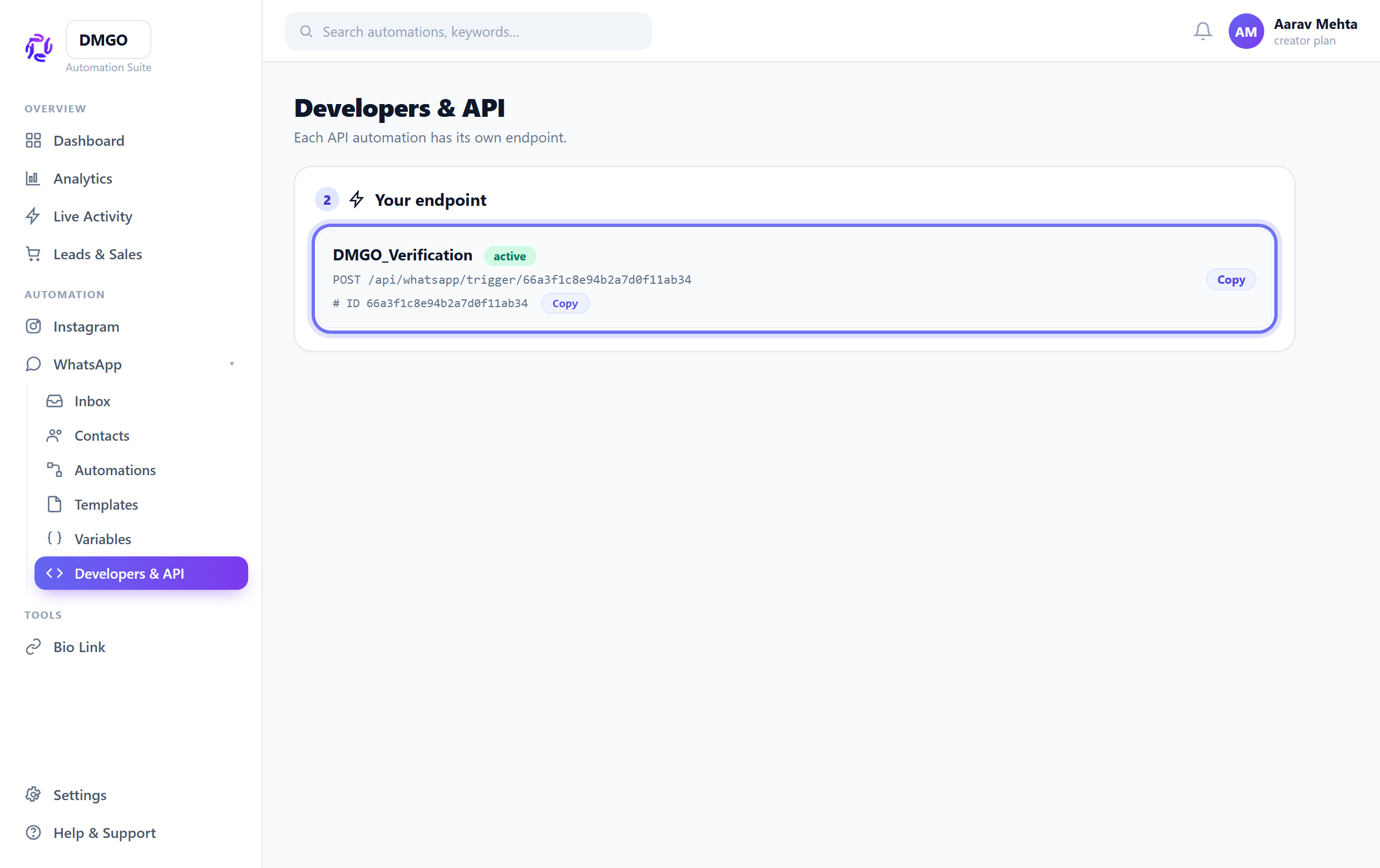
Each API automation has its own URL: POST /api/whatsapp/trigger/{automationId}. Copy it from the endpoint list (also shown as an Automation ID chip in the flow builder header).
Send the request
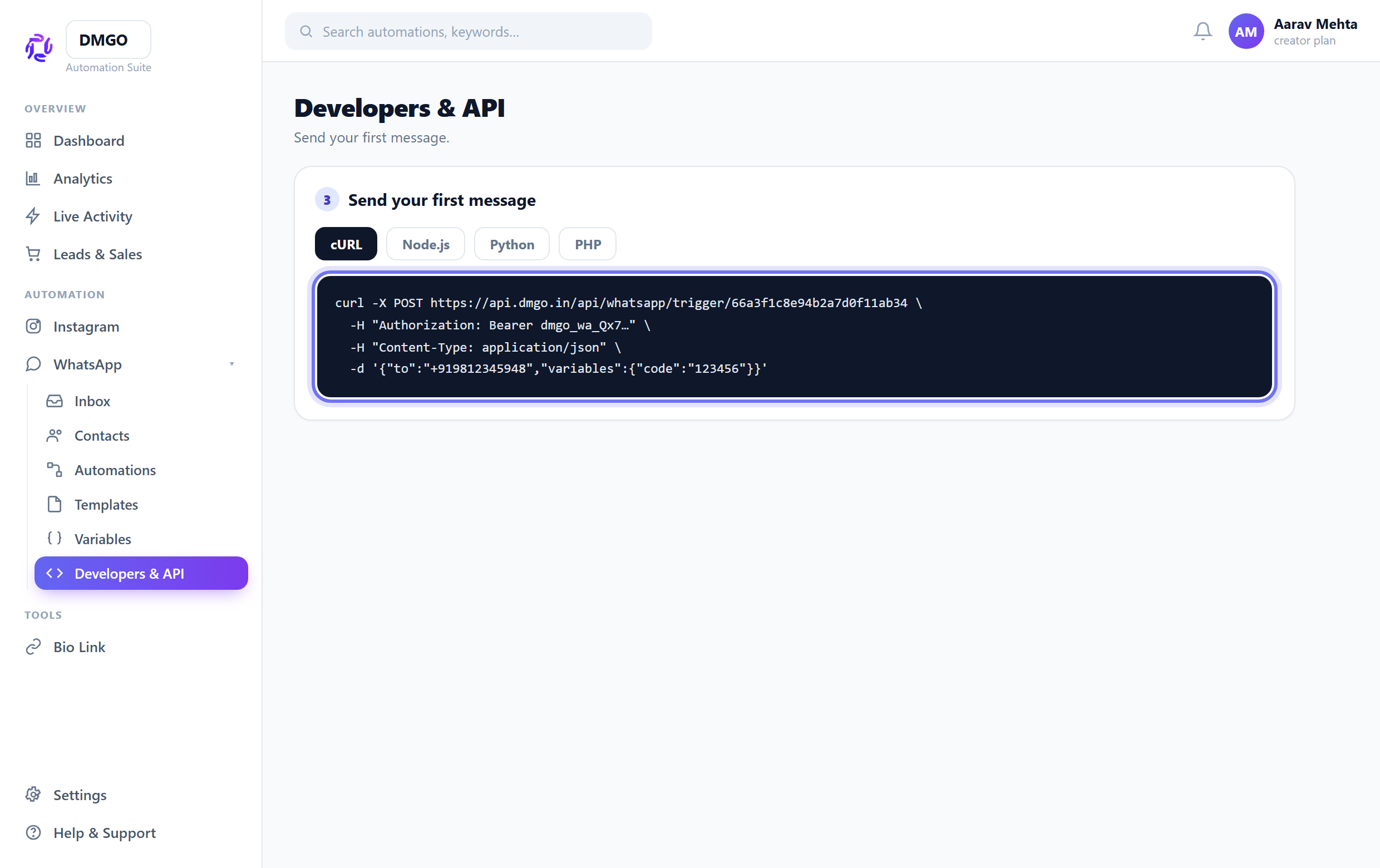
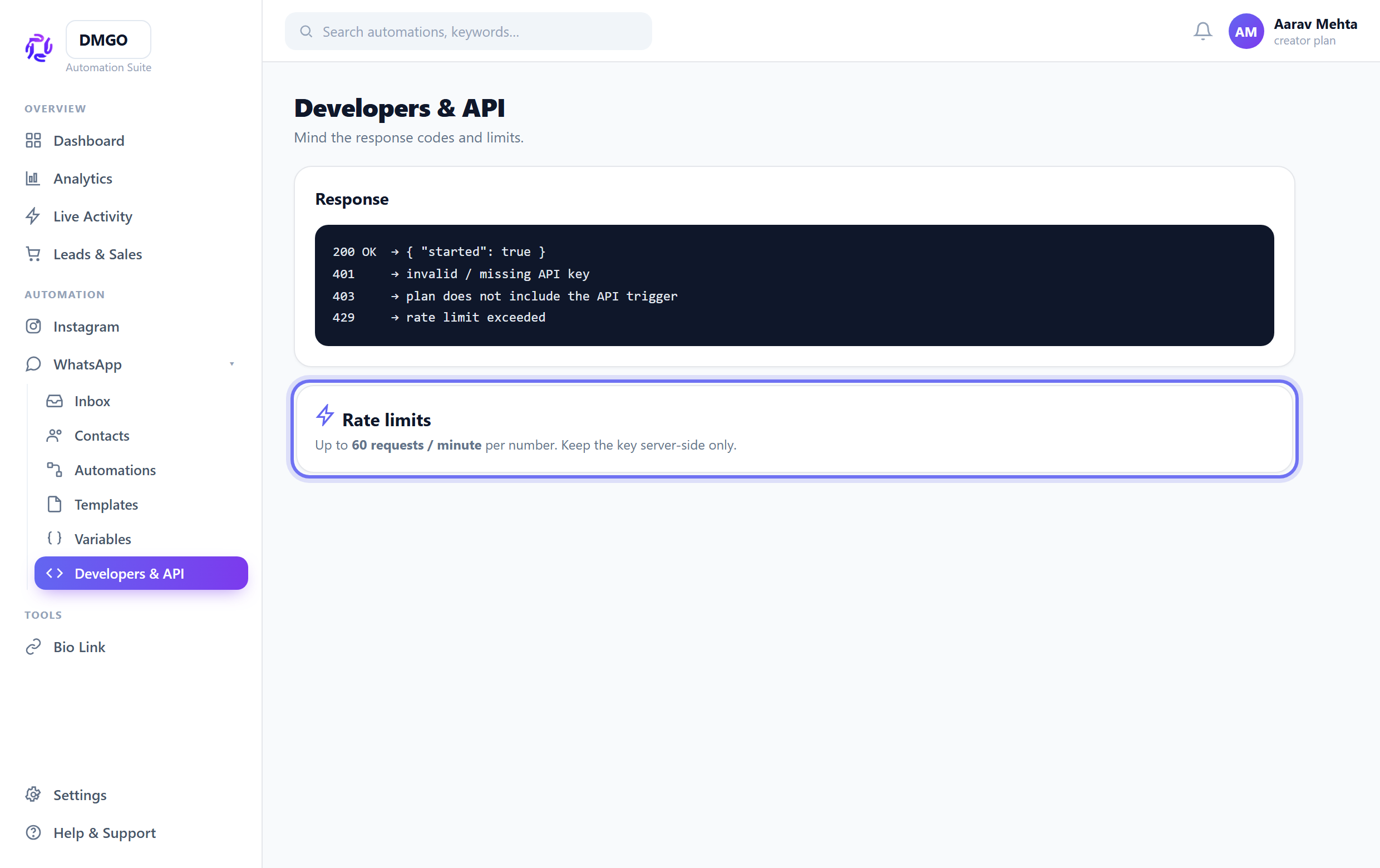
POST with header Authorization: Bearer <key> and body {"to":"+9198…","variables":{"code":"123456"}}. The variables fill your template’s merge fields. A 200 with {"started":true} means it’s on its way.
Mind the limits
Up to 60 requests/minute per number. Keep the key server-side only — never ship it in a browser or mobile app.
Related guides
Was this guide helpful?
Did this not solve it?
Raise a ticket — no account needed. Continue securely from your ticket link.