When someone replies to your Story with a keyword, send them a DM with your link automatically.
3 min readReviewed Oct 2026
Before you start
A connected Instagram account.
To pick a specific Story, connect Facebook on the Instagram accounts page.
1
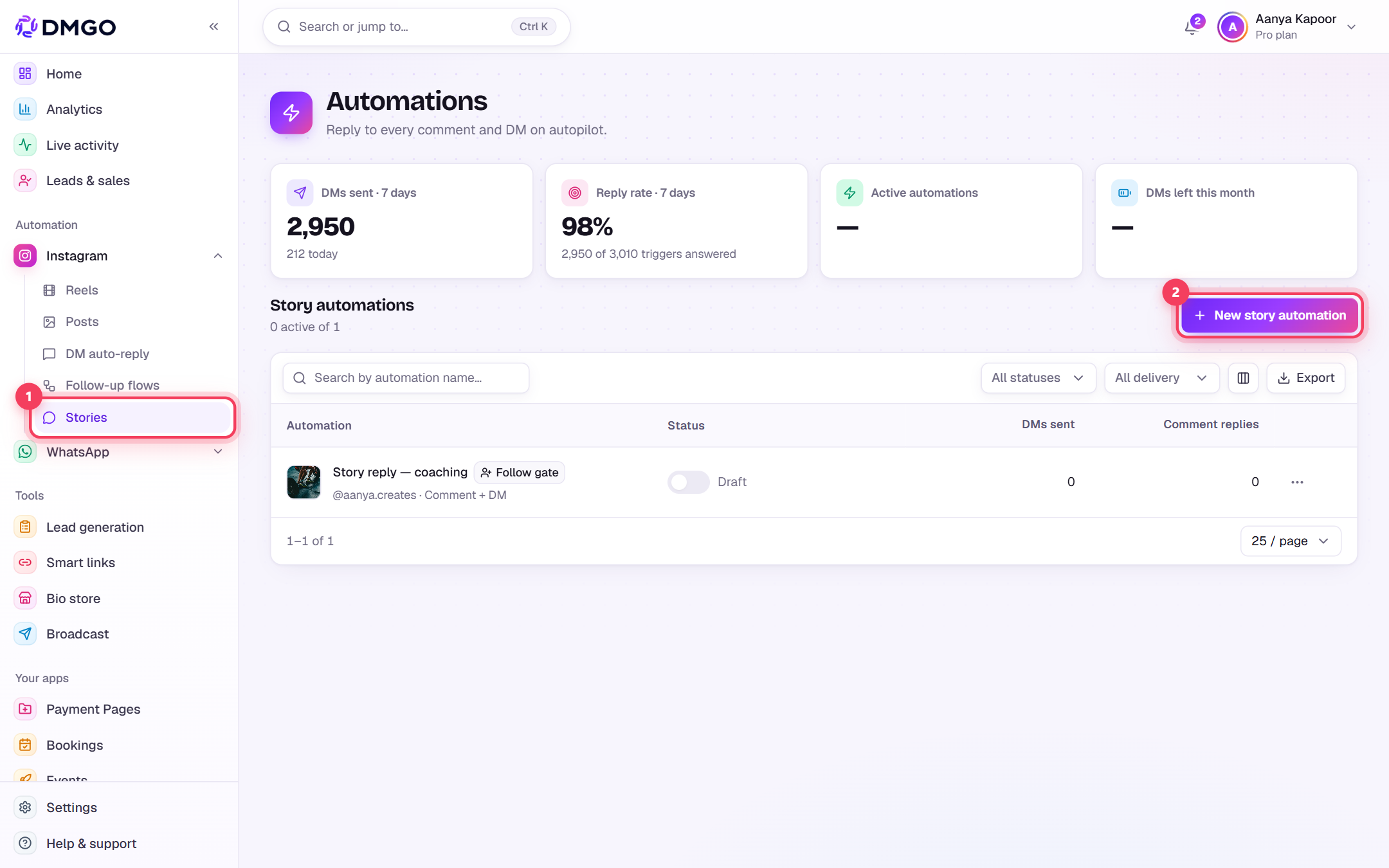
Open Instagram → Stories
In the sidebar open Instagram → “Stories” and click the button to create a new Story automation.
2
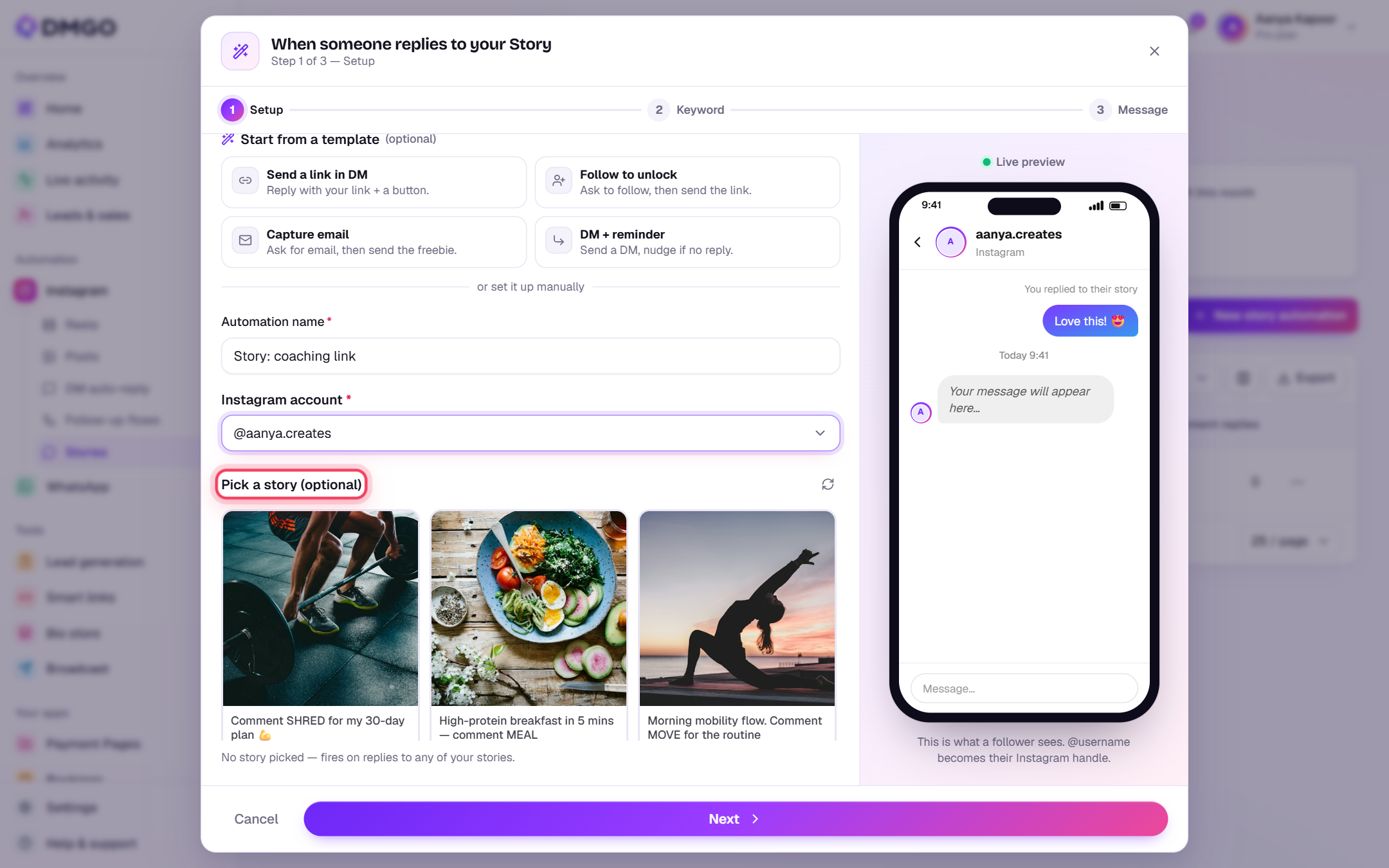
Setup: name, account and Story
Name the automation and pick your account. “Pick a story” is optional: leave it empty to react to replies on any Story, or choose one to target only that Story.
3
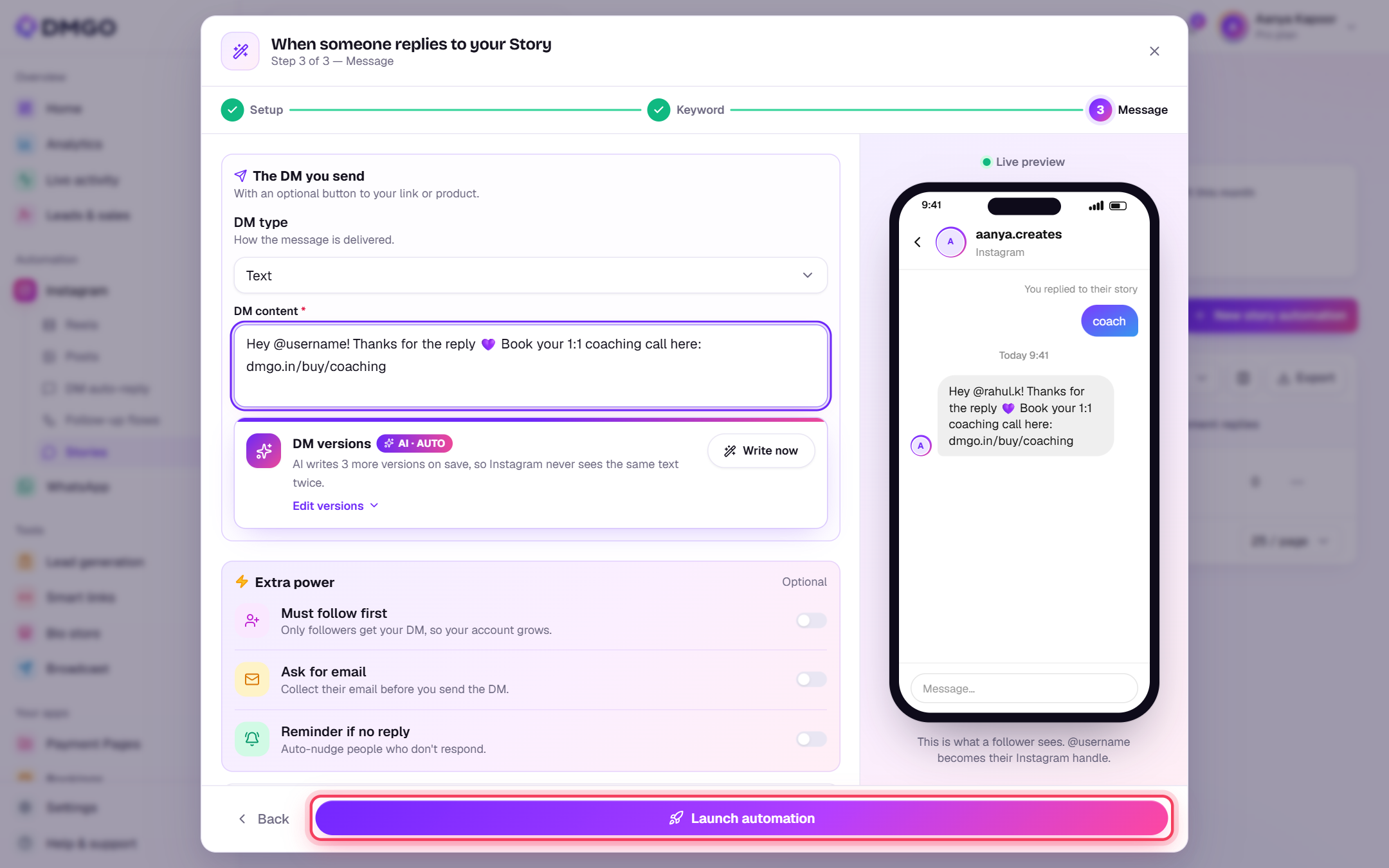
Keyword and message
Add the keywords (or choose to react to all replies), write the DM and click “Launch automation”. Story automations reply in DMs only, as Stories have no public comments.