
Create your first Reel automation
When someone comments a keyword on your Reel, reply to the comment and send your link in their DMs.
Before you start
- A connected Instagram account.
- AutoDM switched on in Explore all apps (it’s on by default).
Open Instagram → Reels
In the sidebar under Automation, open Instagram and click “Reels”. You’ll see your Reel automations with DMs sent and comment replies. Click “New reel automation”.

Step 1: Start from a template, name it, pick the account
A 3-step builder opens with a live phone preview on the right. Pick a template to pre-fill everything (“Send a link in DM” is the most popular), or set it up manually. Give it a name and choose your Instagram account.

Pick the Reel
Your recent Reels appear as thumbnails. Tap the one this automation should watch. Reels already used by another automation are marked “Already used”. Can’t see it? Paste the Reel’s link in “Or paste a URL”. Then click Next.

Step 2: Set the keyword
Choose “Specific keyword” and type words like “guide” or “link”, pressing Enter after each (up to 10). Keep “Contains” so it fires when the word appears anywhere in the comment. Pick “All comments” to reply to every comment instead.

Step 3: Write the comment reply and the DM
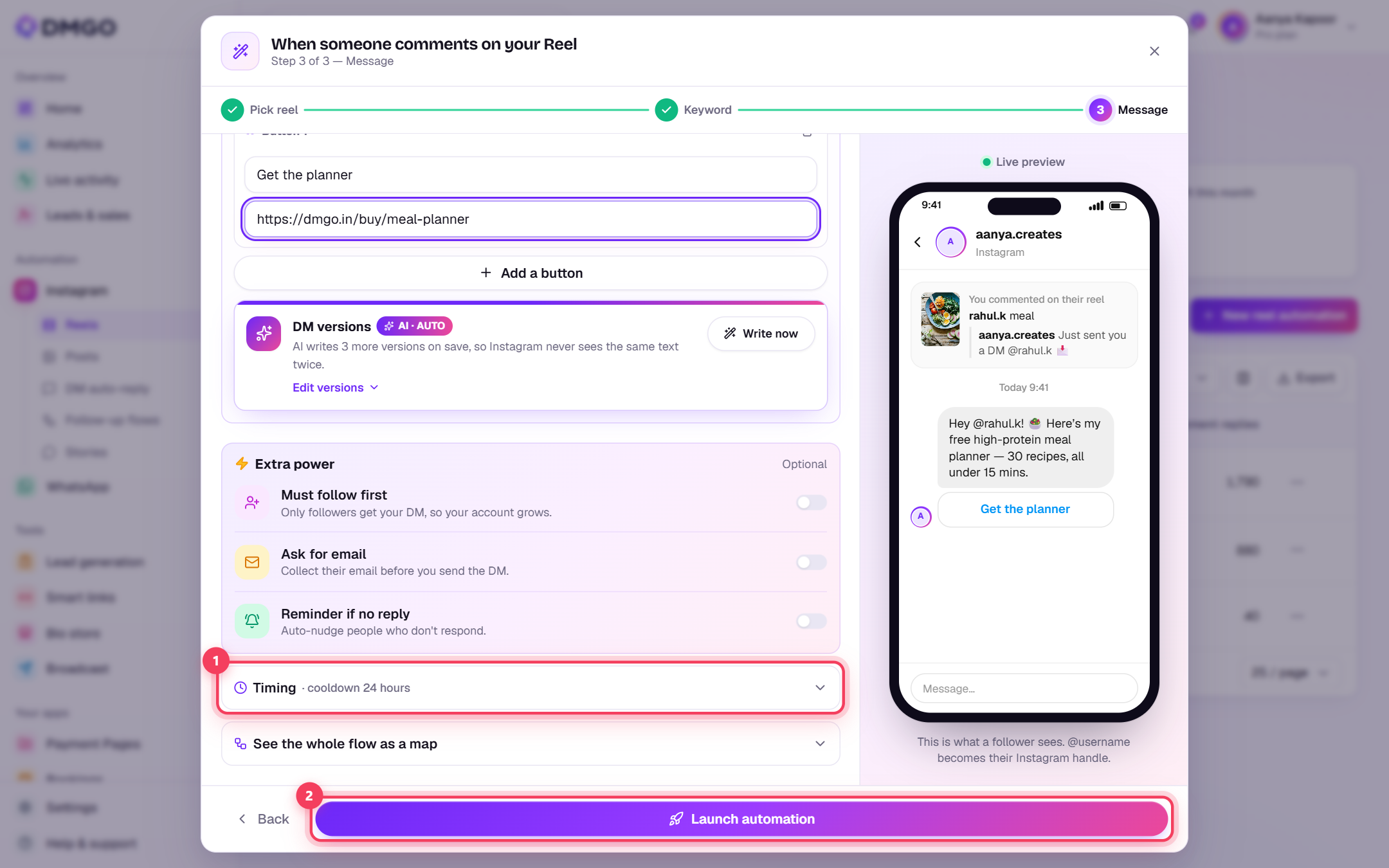
The comment reply is the public answer under their comment (e.g. “Just sent you a DM @username 📩”). DMGO’s AI writes 2 extra versions so Instagram never sees the same text twice. Switch on “Also send a DM”, set the DM type to “Text + Button”, write the DM and click “Add a button” for a tappable link to your offer.

Watch the phone on the right: it shows exactly what your follower will see.
(Optional) Extra power: follow gate, email, reminder
Under “Extra power” you can switch on “Must follow first” (only followers get the link), “Ask for email” (collect their email before the link) or “Reminder if no reply”. These are PRO features on some plans.

Launch it
Open “Timing” to check the cooldown (how long before the same person can get the DM again) and click “Launch automation”. It’s live right away. Comment the keyword from a different Instagram account to test it.
Was this guide helpful?
Did this not solve it?
Raise a ticket — no account needed. Continue securely from your ticket link.