
Billing & upgrading your plan
See your plan, usage and invoices, upgrade for higher limits, or turn off auto-renew.
Open Billing
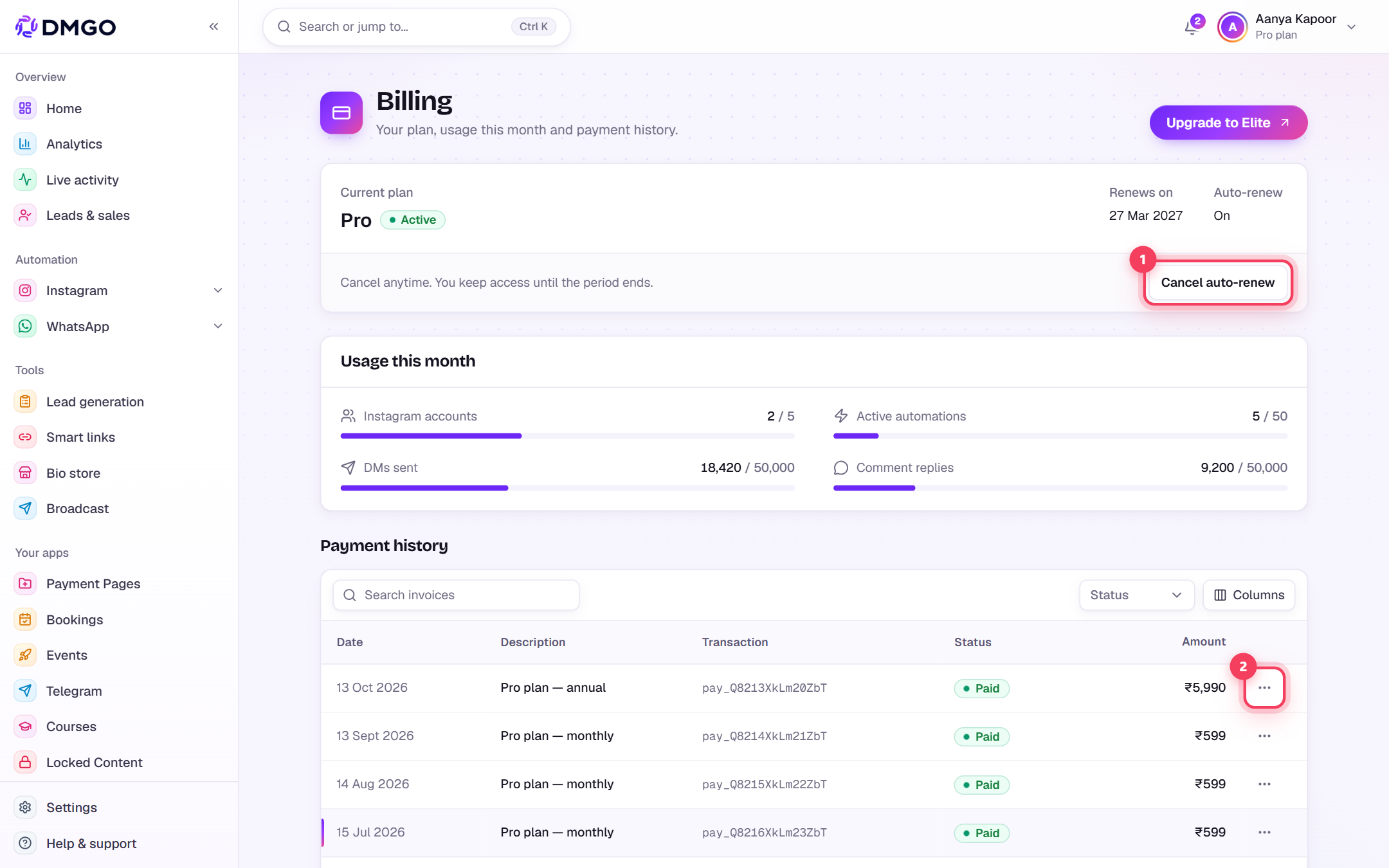
In the sidebar under Finance, click “Billing”. The top card shows your current plan, its status, the renewal date and whether auto-renew is on.

Check your usage
“Usage this month” shows how much of your plan you’ve used: Instagram accounts, active automations, DMs sent and comment replies. If a bar is nearly full, it’s time to upgrade.

Upgrade your plan
Click the “Upgrade to …” button at the top-right. On the checkout page pick the plan and billing cycle, choose a one-time payment or AutoPay (renews automatically), and pay securely through Razorpay. Your new limits apply as soon as the payment goes through.

The yearly cycle costs less per month than paying monthly.
Invoices and auto-renew
Every charge is listed under Payment history. Use the row menu to download the invoice. To stop future charges, click “Cancel auto-renew”: you keep your plan until the current period ends.
Related guides
Was this guide helpful?
Did this not solve it?
Raise a ticket — no account needed. Continue securely from your ticket link.